Product Integration Webhook Automation
2026Webhook-based automation that syncs product data across integrated platforms whenever a trigger event fires.
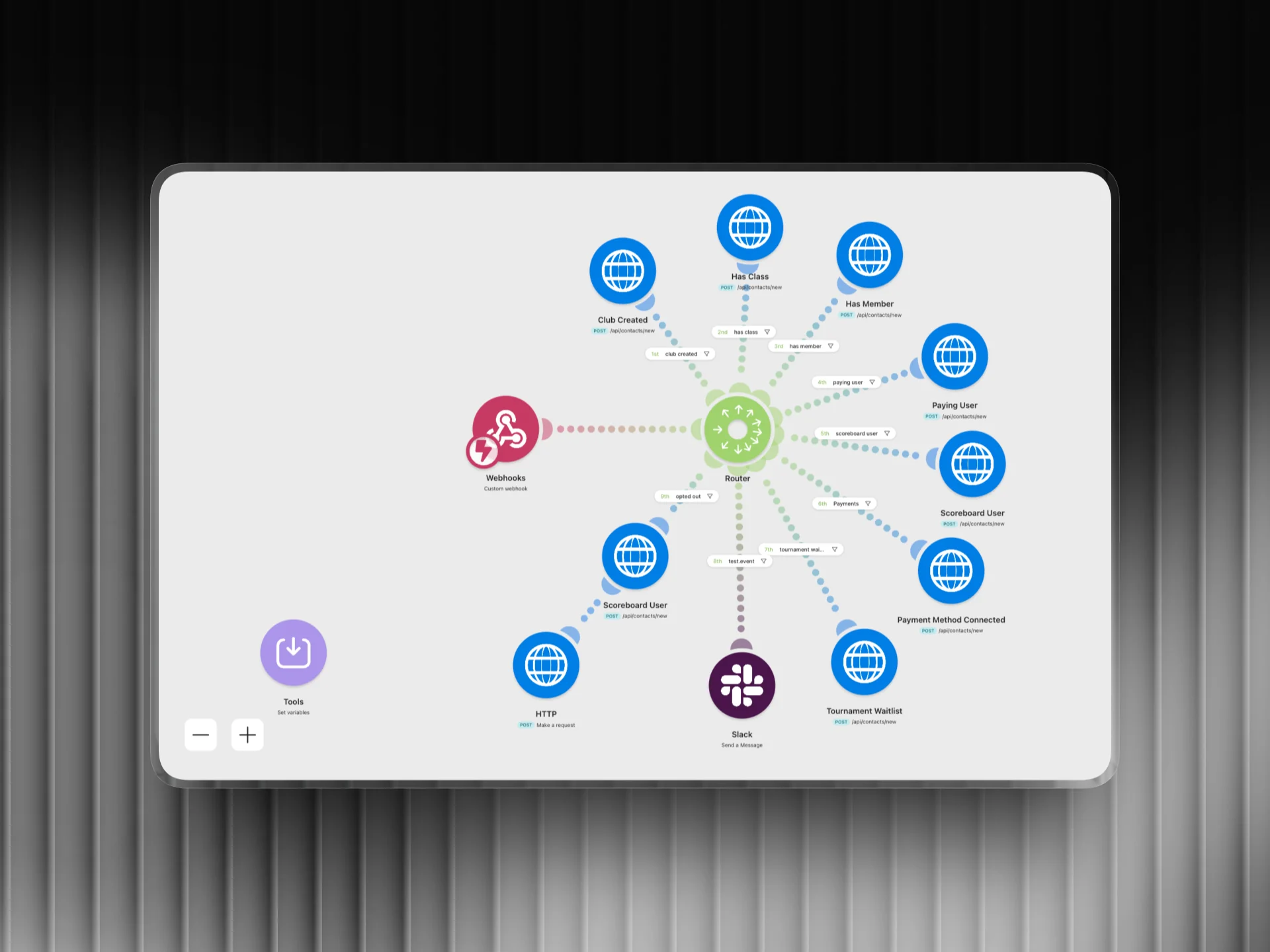
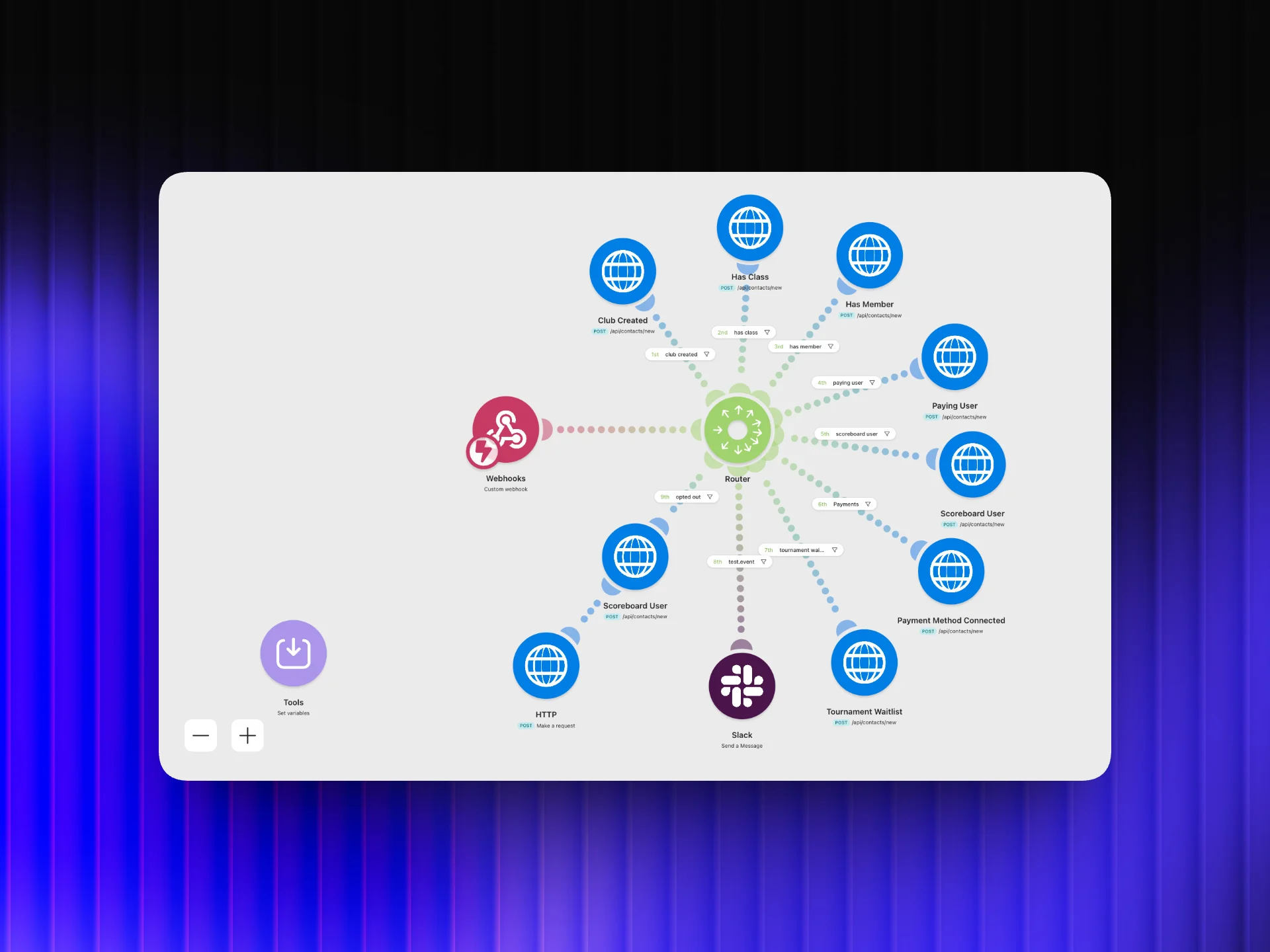
Automation Flow
Overview
I built a real-time webhook automation in Make.com that listens for trigger events from the product and instantly syncs the relevant data to every connected platform: CRM, email tool, analytics, and notification systems. When something happens in the product, everything downstream updates within seconds, with no manual intervention and no data lag.
The Challenge
Data was living in silos. A new signup in the product wouldn't appear in the CRM until someone manually added it. The email tool would be out of sync. The analytics dashboard would show stale numbers. This created confusion, delayed responses, and wasted time on data entry that should have been automatic.
How I Did It
- 1
Audit all platform touchpoints
The first step was mapping every system that needed to stay in sync: which platform is the source of truth, which ones are downstream, and what data needs to flow between them. This produced a clear map of the integration architecture before any automation was built.
- 2
Set up webhook listeners in Make.com
I configured Make.com to receive webhooks from the product for each trigger event type (new signup, plan change, cancellation, etc.). Each event type has its own scenario so changes to one workflow don't affect others and debugging stays simple.
- 3
Build parallel update chains
For each incoming event, Make.com fans out to all destination platforms simultaneously, not sequentially. This means the CRM, email tool, and analytics dashboard all get updated at the same time instead of waiting for each one to finish before starting the next.
- 4
Add error handling and retry logic
Every module chain includes error handling. If one platform's API is temporarily down, Make.com logs the failed operation and retries it on a schedule. This means a temporary outage in one system doesn't corrupt the data pipeline or require manual cleanup.
- 5
Test with live events end-to-end
Before going live, I ran the automation against real events in a staging environment and verified that every destination platform received the correct data. Latency between trigger and sync was measured to confirm everything propagated within seconds.
Tools Used
Want results like this for your business?
I build marketing automations, lead generation systems, and email sequences that run without you. Let's talk about what you need.
Get in touch