Complex Mautic Email Automation
2026Multi-step email campaign automation built in Make and connected to Mautic for contact segmentation and delivery.
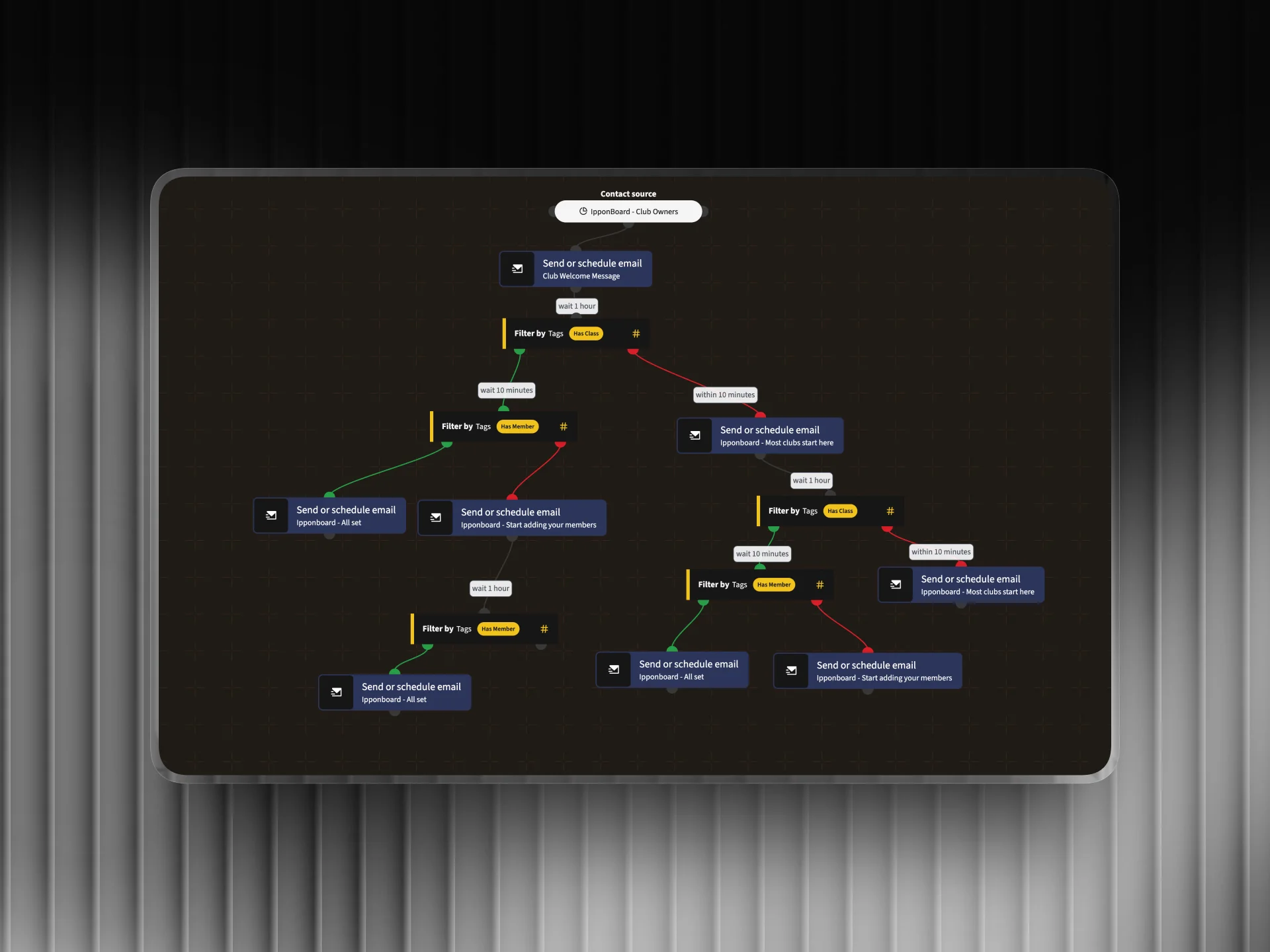
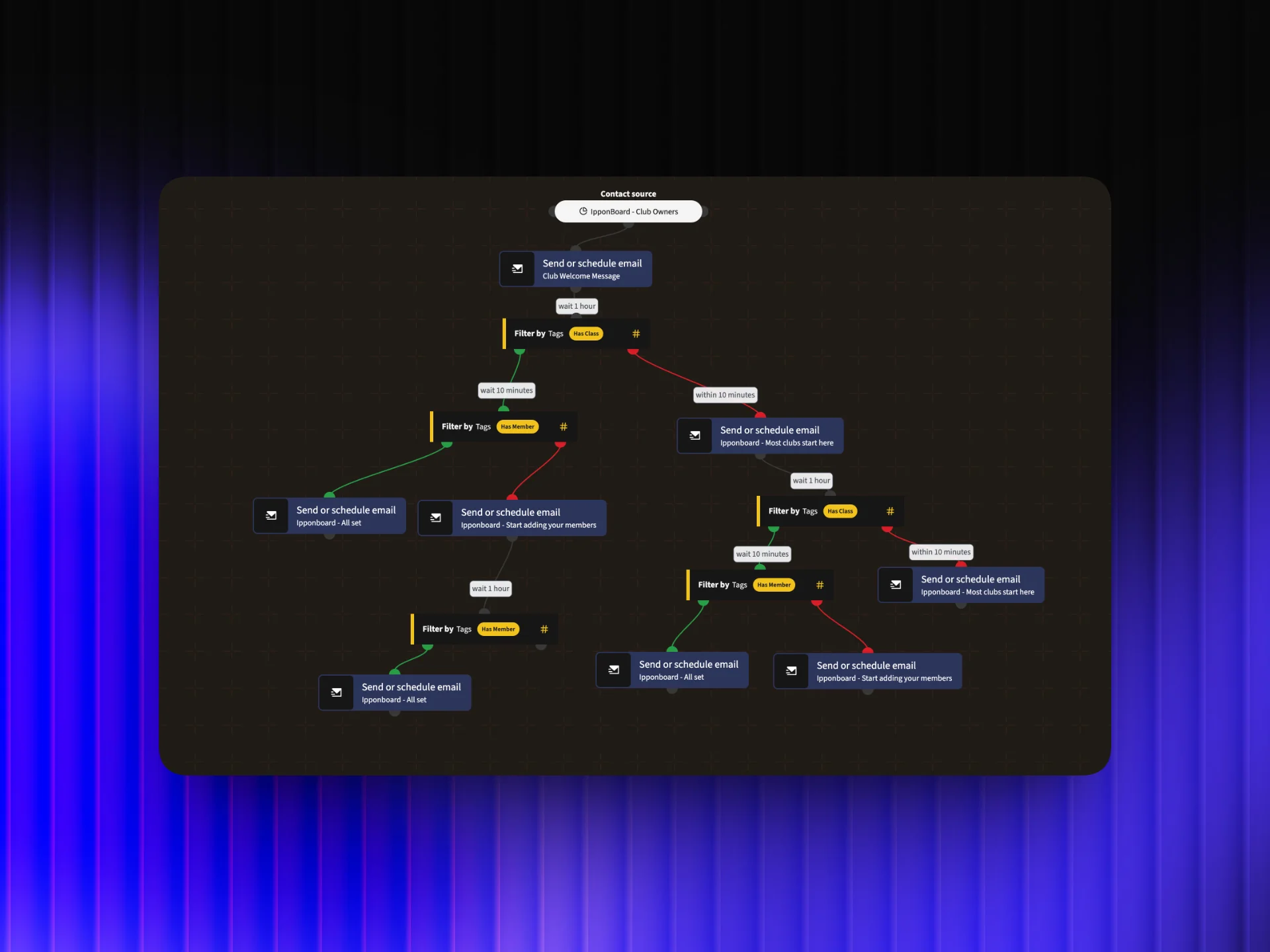
Automation Flow
Overview
I designed and deployed a behavior-driven multi-step email campaign using Mautic as the delivery engine and Make.com as the orchestration layer. Contacts are routed into different email branches based on how they engage: openers go down one path, non-openers get a re-engagement sequence. The whole system runs without manual oversight.
The Challenge
A basic drip sequence was sending the same emails to everyone regardless of engagement. High-intent contacts were getting the same message as cold ones, and nothing was being done to re-engage people who weren't opening. The client needed a smarter system that responded to contact behavior in real time.
How I Did It
- 1
Map the campaign logic
Before building anything, I mapped the full campaign flow as a decision tree: entry conditions, wait periods between emails, and branching rules. The key branches were: contacts who open email 1 move to a value-focused sequence; those who don't get a re-engagement approach after a set delay.
- 2
Set up Mautic segments and tags
In Mautic, I created segments based on contact behavior (opened, clicked, no activity) and set up tags that fire when a contact hits each state. These tags are what Make.com reads to decide which next action to trigger, keeping the two systems in sync without polling.
- 3
Build the Make.com orchestration layer
Make.com handles the logic layer: it listens for Mautic tag events via webhook, evaluates which branch the contact should enter, and sends the appropriate trigger back to Mautic to enroll them in the correct campaign step. This separates the decision logic from the delivery layer cleanly.
- 4
Create branch-specific email content
Each branch has its own set of emails written for that contact's mindset. Engaged contacts get deeper product education and stronger CTAs. Non-openers get a shorter, curiosity-driven re-engagement email before being deprioritized. Every email is written to move the contact one step closer to a conversion.
- 5
Set up reporting and monitoring
Mautic's native reporting tracks open rates, click rates, and campaign completions per branch. I configured dashboards so the client can see at a glance which branch is performing, how contacts are flowing through the sequence, and where drop-off happens.
Tools Used
Want results like this for your business?
I build marketing automations, lead generation systems, and email sequences that run without you. Let's talk about what you need.
Get in touch